▸ the login tests have been failing since yesterday. find out why and fix it • I'll ask a wave where the session token is checked, and run the tests. 2 tools wave · bash 9.4 s 1 failed ✓ wave spawn 6.2 s ✗ bash npm test -- auth · Runs the auth tests. 3.0 s✗ login › keeps the session for 30 days expected true, received false •expiresAtis in seconds andDate.now()in milliseconds, so every session looks expired. Fixing it insession.tsand running the tests again. 2 tools edit · bash ✓ edit src/auth/session.ts 7 ms ● bash npm test -- auth · Runs the auth tests again. ..:oO Wading in… • working 14s · esc interrupts · claude-opus-5-5 · high · ctx 6.2% · $0.412 ~/Projects/app
Vocabulary
tide works in parallel and names each piece after the sea. The model and the interface use the same words.
- ≋wavea subagent
- Another conversation, with its own context and tools, that hands back only its conclusion. Runs in the foreground or background, on the model and thinking level you ask for: “use waves with haiku”.
- ▸currenta background process
- A dev server, a build or the tests running while the session goes on. Ctrl+B sends the running command there. When it ends, the result reaches the model.
- ∿surfweb search
- Searches with Exa, no key needed.
web_fetchreads HTML pages and PDFs and returns clean markdown. - ›steer, follow-uptalking to a run
- A steer enters the running run at its next step: Enter while it works. A follow-up waits for it to end: Alt+Enter. Reports from currents and waves arrive as follow-ups.
- ∩tsunamia plan of waves
- Describe the job; tide interviews you, proposes a plan, and runs its tasks as cheap waves by role, inside caps on rounds, cost and parallel agents.
- ∴recap, bottlecoming back
- A recap says where a session stands after a break. A bottle is a message the agent sends itself for later: “in 2 h see if the deploy is up”.
What it does
Four features set tide apart. The rest is what any coding agent needs.
Sessions that survive a crash
Each session is a SQLite file. Kill the terminal mid-run and tide picks the run back up when it opens. Come back after a break and a short recap says where things stand. tide -c continues, tide -r picks one.
$ tide -c

∴  recap
Done. Fixed the seconds/milliseconds bug in session.ts and the auth tests pass.
Open. Nothing.
Next. Add a test for sessions stored in seconds. Do it →
/flood, until it's done
Give it a goal and tide works run after run. After each one, an Opus judge reviews the work and says what is missing, until the goal is met or a cap on runs or cost is hit.
▸ /flood every test passes and lint is clean

  ◎ flood 2/20 · …

◎ flood: goal met after 3 runs: 214 tests pass and lint reports no errors.
A safety-net for destructive commands
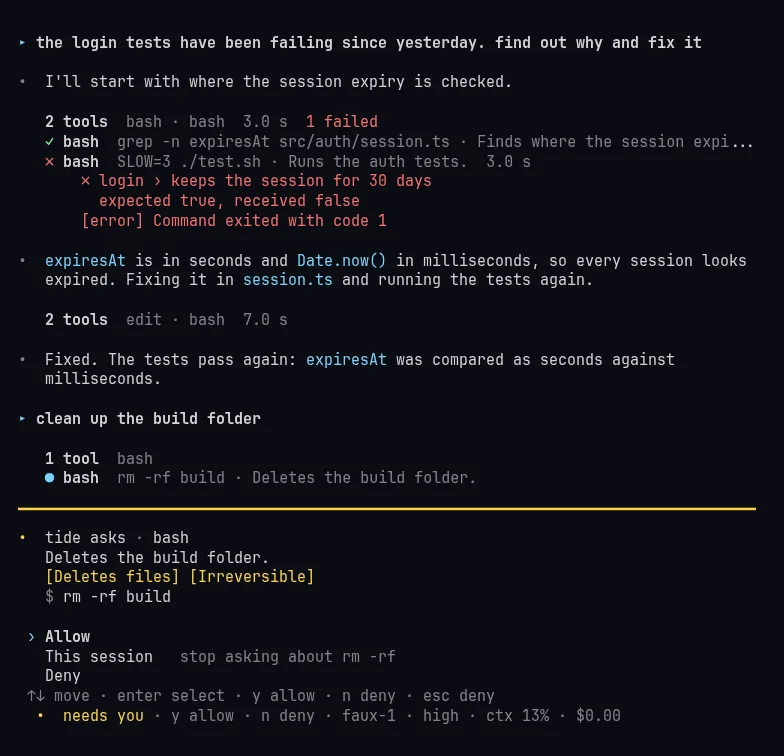
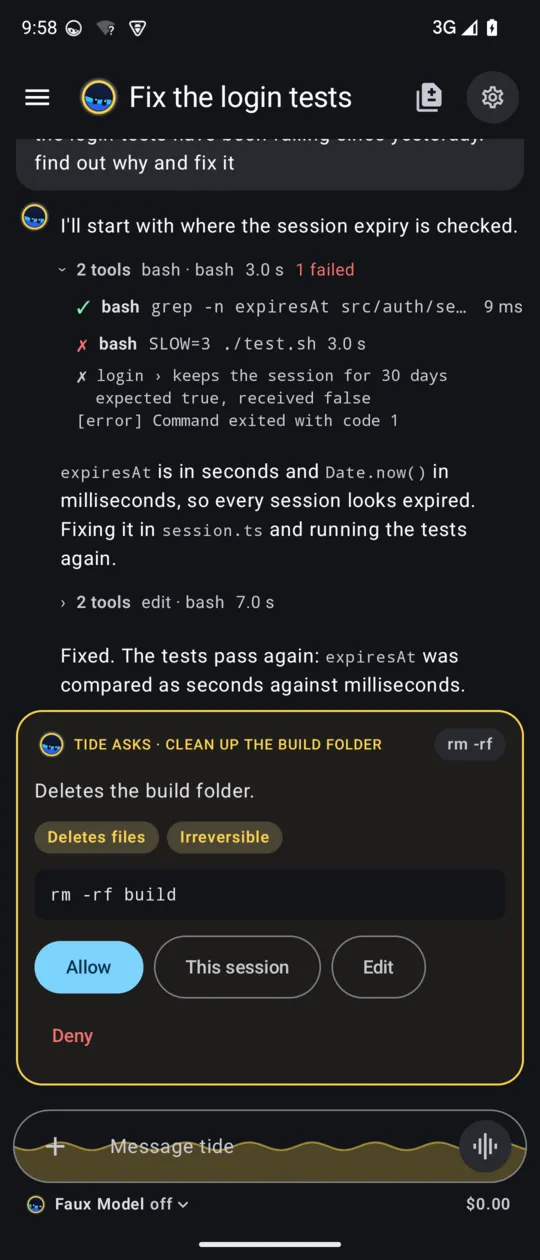
Everything runs without asking, except what is destructive or public: recursive deletes, rewriting git history, DROP, and anything that writes to Slack. Those wait for your answer, with a one-sentence summary and risk chips, and in print mode they are blocked.
tide asks · bash
Deletes the build folder.
[Deletes files] [Irreversible]
$ rm -rf build

› Allow
  This session   stop asking about rm -rf
  Deny
↑↓ move · enter select · y allow · n deny · esc deny
An Android app
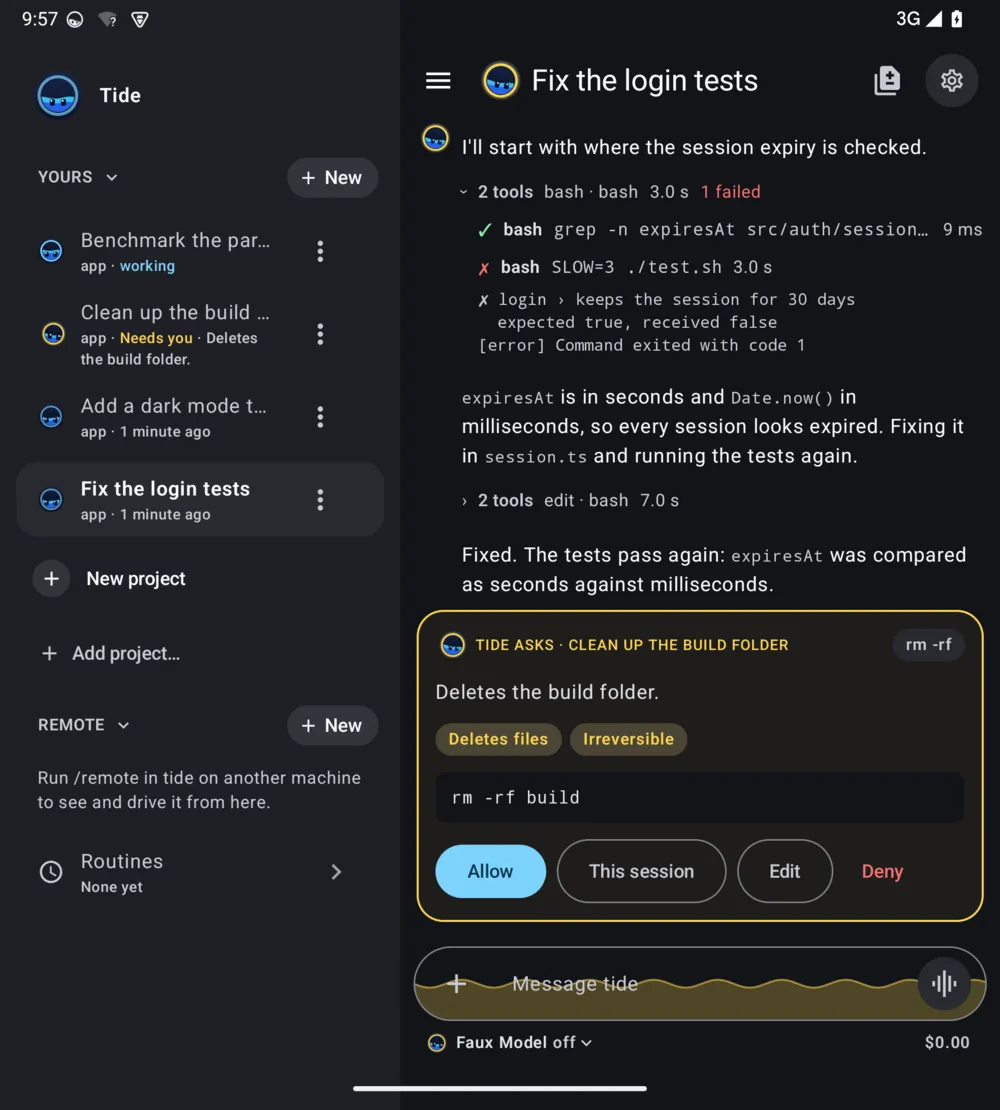
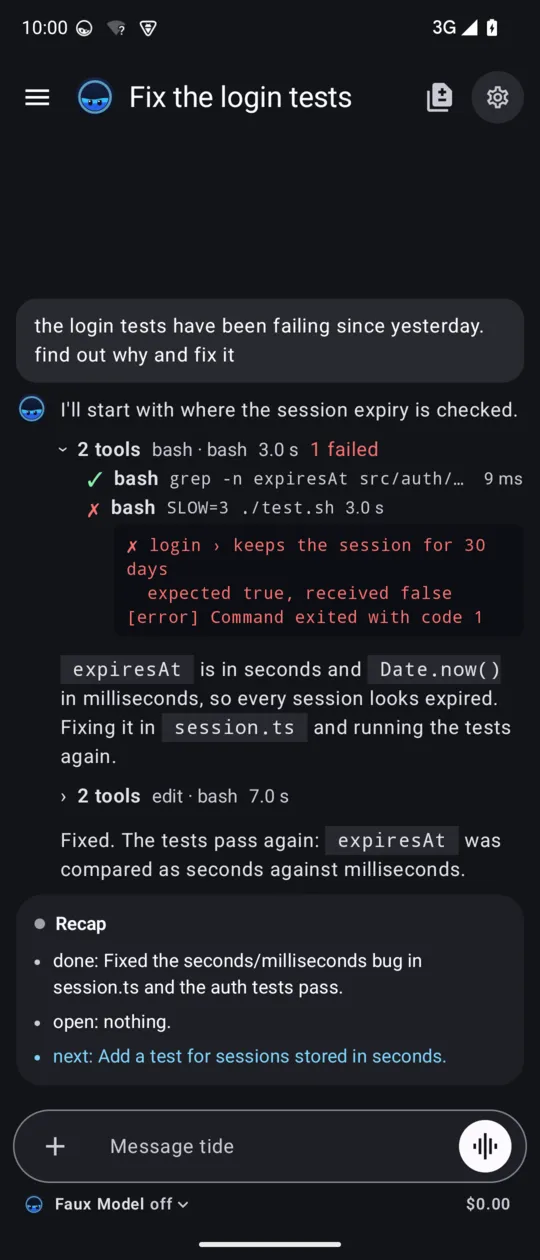
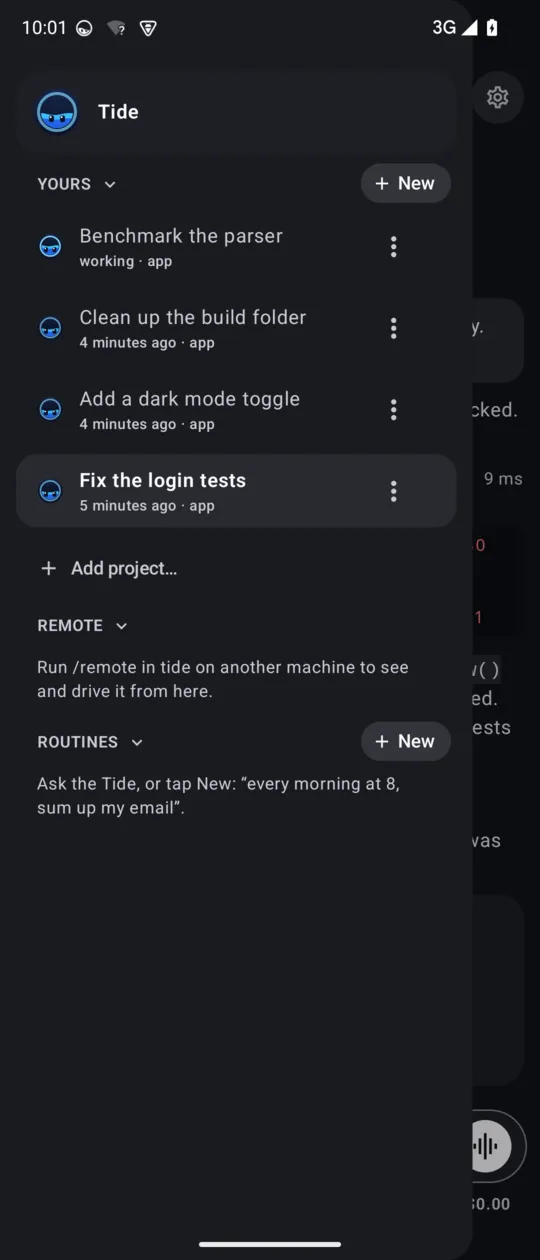
On the phone, tide serve runs in Termux and the Tide app drives it: the same sessions, waves and currents, plus routines on a schedule. Each session in the sidebar wears the Tide face and a state word in its own colour: working, Needs you, done, Limited. The chat is near-black down to the bottom edge, and a request is the one card in it. The microphone transcribes on the phone itself, Portuguese and English in one sentence.
A terminal on another machine that runs /remote shows up under Remote over Tailscale, grouped by machine and project; the row menu can rename, pin, disconnect or delete it. The screens below are the app itself, in dark, on an emulator shaped like the Galaxy Z Fold's cover screen, with a scripted demo model. The Remote list is not in a picture yet.
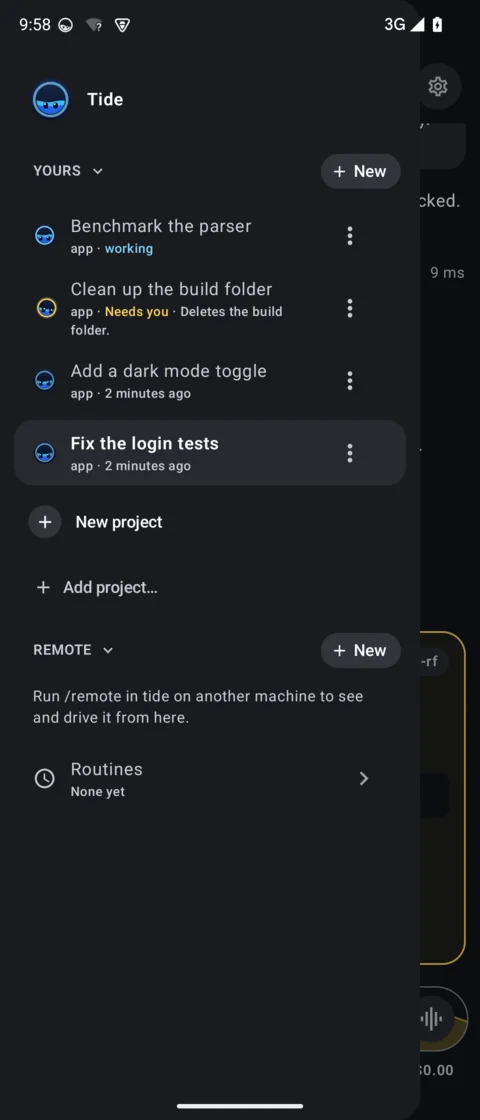
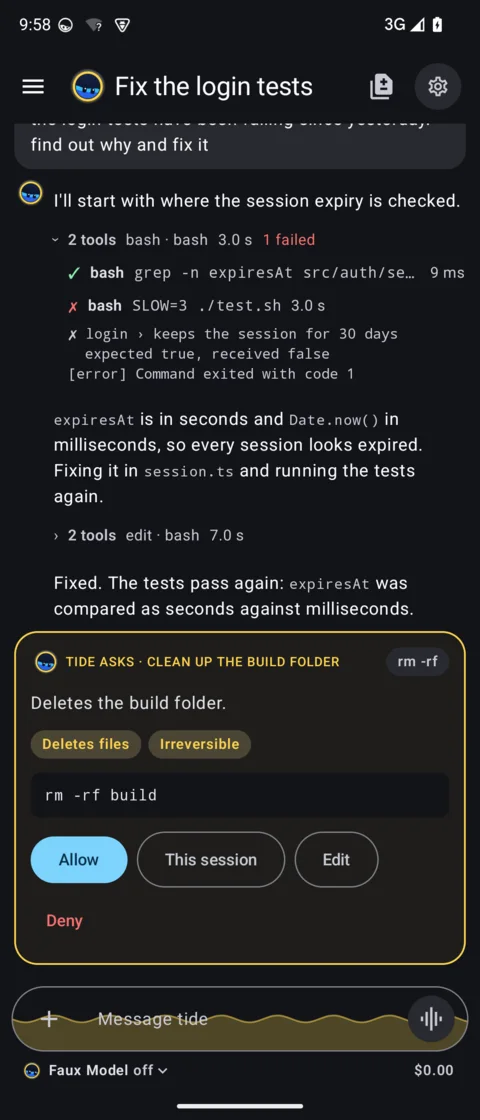
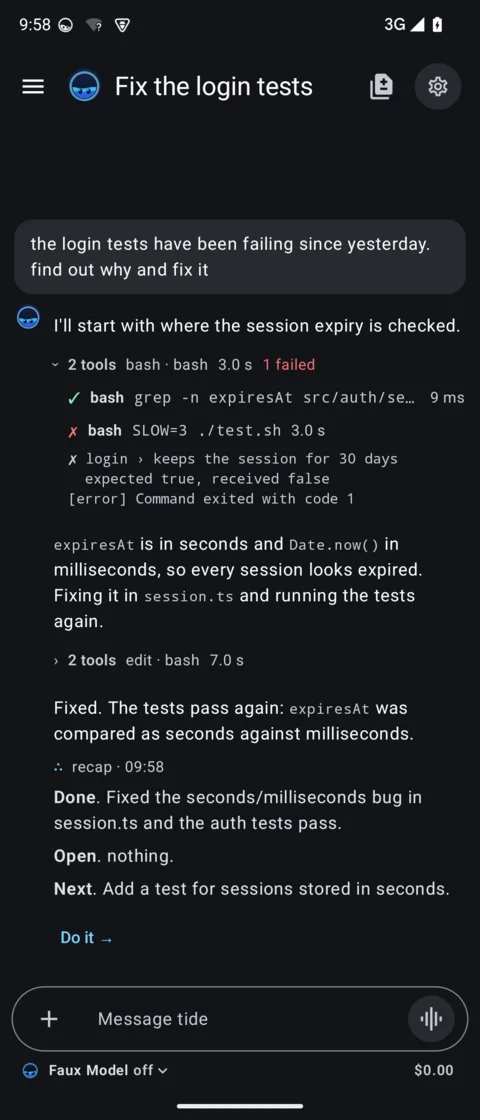
Limited is the one state not in a screenshot: the demo model cannot hit a 5-hour window, so these rows are redrawn from the app's own code, faces included. A Limited face sleeps: closed eyes, a moon and a z in lilac. A session behind the window sleeps and says when it is back; a message you type waits and goes at the reset.
CI and diffs, in the terminal
Two panels take the editor's place and give it back on Esc. Both need nothing running: /ci asks gh, /diff asks git.
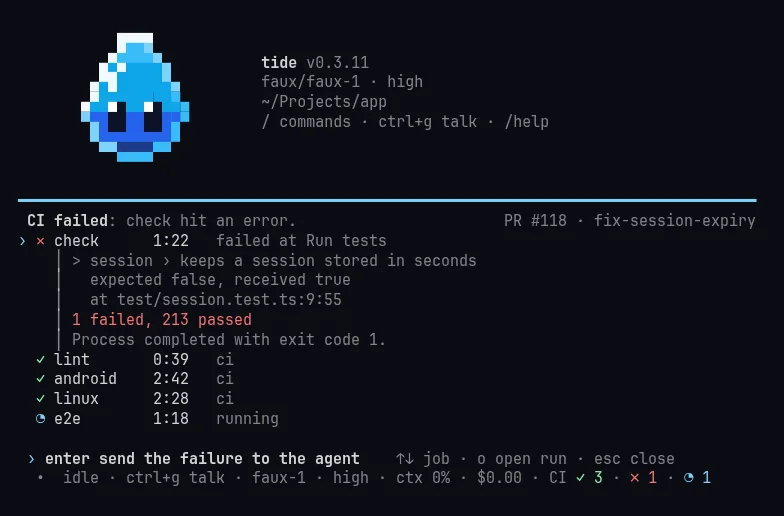
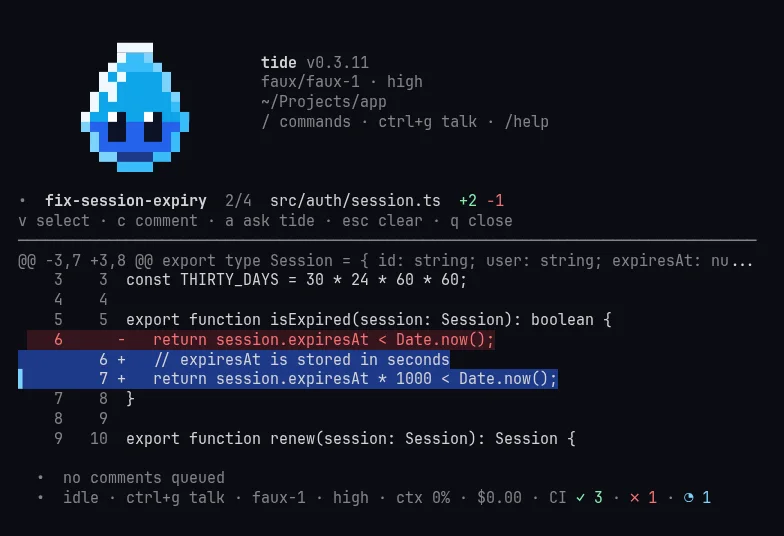
And the rest
- Memory Say “remember this” and the fact is saved for later sessions, in the same folder as Claude Code’s memory, so the two share it. Only a short index enters the prompt; each fact is read when it matters.
- /btw A side question mid-work, answered from the context without tools, without stopping the run or touching the history.
- Prompt suggestions After each run your likely next message shows up dimmed; Tab accepts it. The app shows it as one quiet line on the composer.
- Queue What you type while it works waits as your own faded message at the end of the thread. A steer goes in at the next step; a follow-up waits.
- /usage Your subscription limits as a table: a bar per window, the percentage, a tick where the pace says you should be, and the reset. A full window becomes one line that says when it resumes.
- Skills Folders with a
SKILL.md, in the Claude Code and Pi format, from.agents/skillsand.claude/skills. A project's own skills are always offered to the model. - MCP and Code Mode The MCP config from the project, Pi, Claude Code and its enabled plugins (Slack included), with OAuth. Tools sit behind a search, and one script can call several at once.
- Voice Ctrl+G in the terminal, the waveform button in the app: it transcribes on the machine you talk to, Portuguese and English in one sentence.
- Review diffs
/diffin the terminal and a git panel in the app: pick lines, ask tide about them or leave review comments, sent as one review. - @ files Type
@in the editor to pick a file from the project and reference it. - /context What fills the context window, part by part, on a colour map. Auto-compaction runs before it fills up.
- Models A Claude subscription through the Claude Code login, or any provider Pi supports. Ctrl+P switches.
- tide update Moves to the newest release; a session says when one is out.
Principles
- One user. No profiles, no speculative options. A feature earns its place by being used.
- Light. The core is Pi Durable and pi-tui. Every feature is an extension, with a test.
- Native. No third-party plugins at runtime. A plugin worth having is rewritten as tide code.
- Pinned versions. Durable is experimental, so every dependency has an exact version.
- One source of truth. Skills, subagents,
AGENTS.mdand.mcp.jsonare read from where they already live.
How it looks
tide's look changed four times in its first week. Here is where it stands, then the tideline of how it got here, a picture for each step.
Every picture is a real screen from that version of the code: the terminal in tmux, the app on an Android emulator shaped like a Galaxy Z Fold. The model is a scripted demo (it reads faux-1) working in a throwaway repo, so nothing here comes from a real session. Click a picture to open it full size.
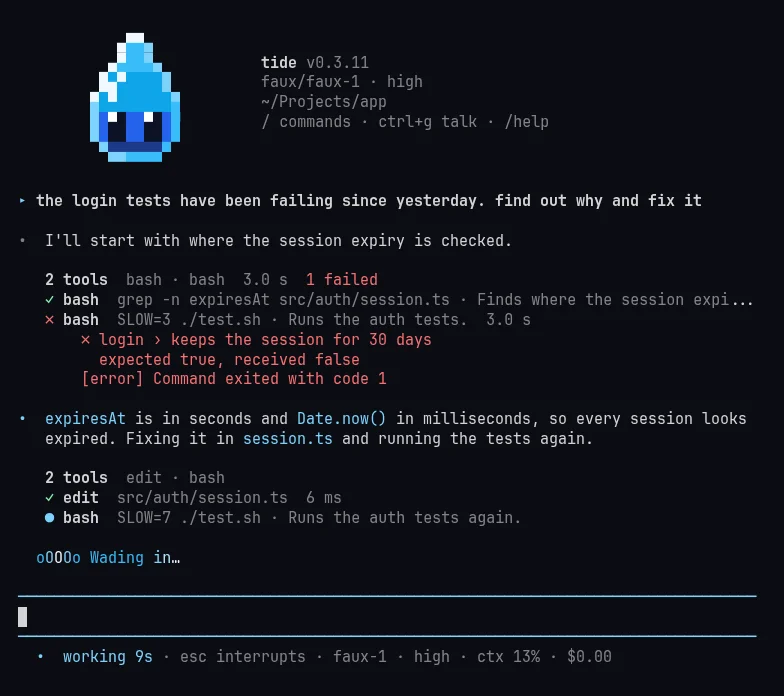
›The terminal, today
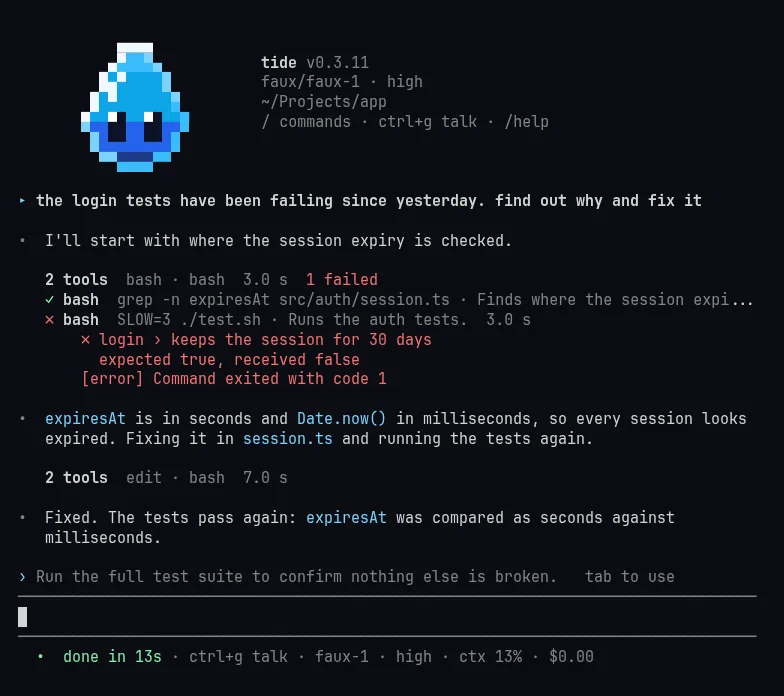
One mark per meaning. A ● in the state's colour opens each answer, ▸ opens yours, and the rules around the editor take the same colour. Calls in a row fold into one line and a failure stays open under it.
≋The app, today
Material You underneath, Tide on top. Each session has the Tide face and a state word in its colour, the chat is a near-black canvas that runs to the bottom edge with the composer inside it, and a request is the only card.
∿How the terminal got here
-
14 Octv0.1.0
First light
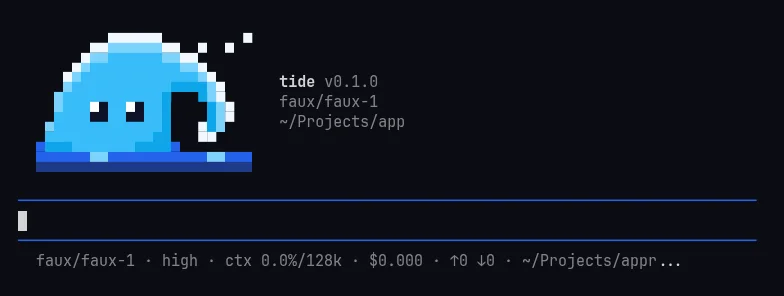
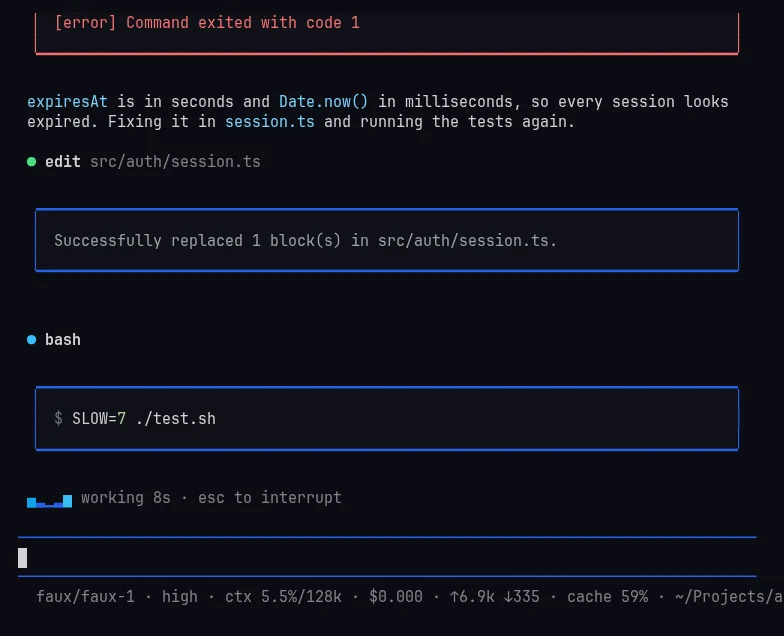
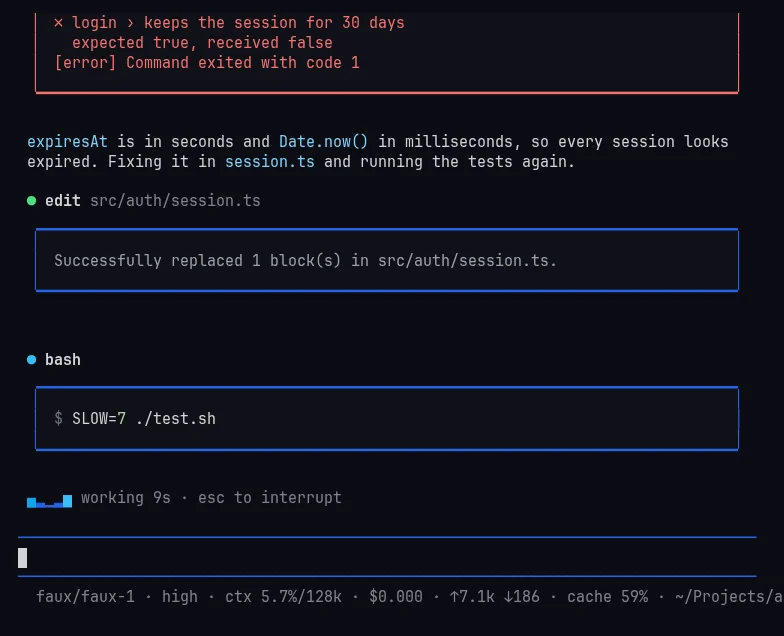
A pixel wave with eyes in the banner, tool calls in plain boxes, the swell spinner, and a footer that counts tokens and cache.
-
15 Octv0.2.1
Framed cards
Each call gets a card right under its title, one blank row between calls, red when it failed. The wave's tip curls inward, as in the app icon.
-
16 Octv0.3.1 · 0.3.0 brings the Android and Linux apps
Many calls, one line
Calls in a row fold into one line with a count and a time, and a failed group opens by itself.
/usagearrives as a table. The cards were most of the screen; now they are none of it.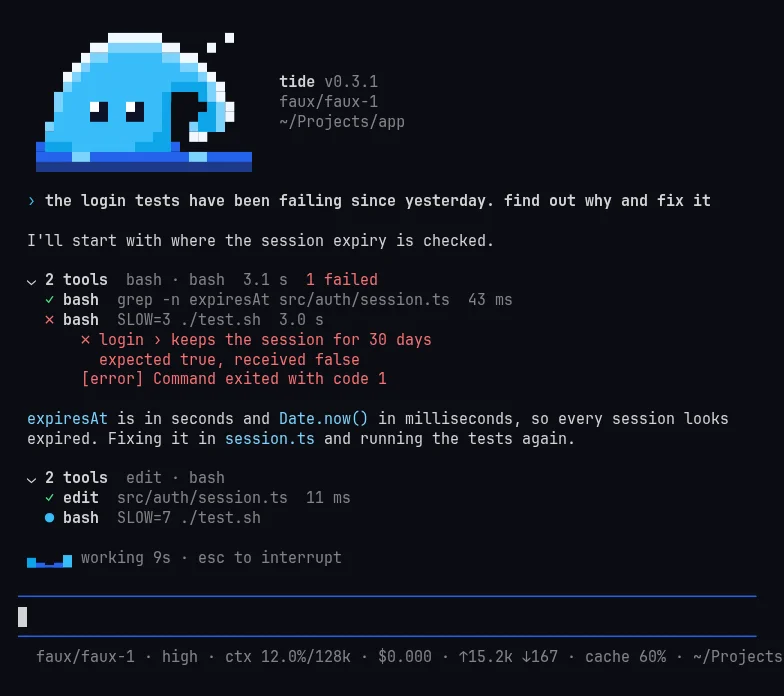
-
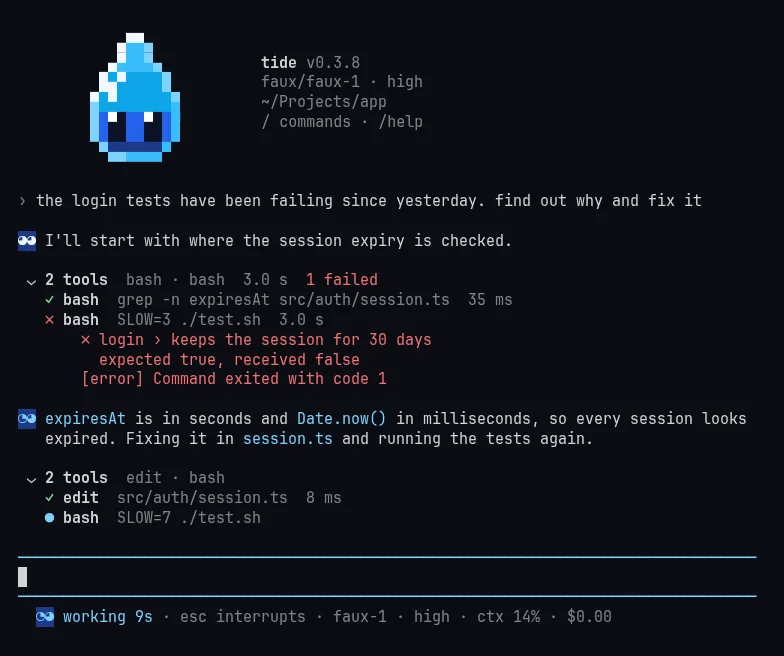
17 Octredesign, first pass
The drop
The brand kit reaches the terminal: a water drop with the app's eyes replaces the wave, floats in the banner and listens while you hold Ctrl+G. Each answer starts with a two-cell face. I saw it on screen that evening and dropped the face.
-
17 to 18 Octv0.3.11 · now
Calm
No face, no bar: a ● in the state's colour opens each answer, ▸ opens yours. Approvals say what they do in a sentence. Only glyphs JetBrains Mono has, so no cell drifts out of line.
≋How the app got here
-
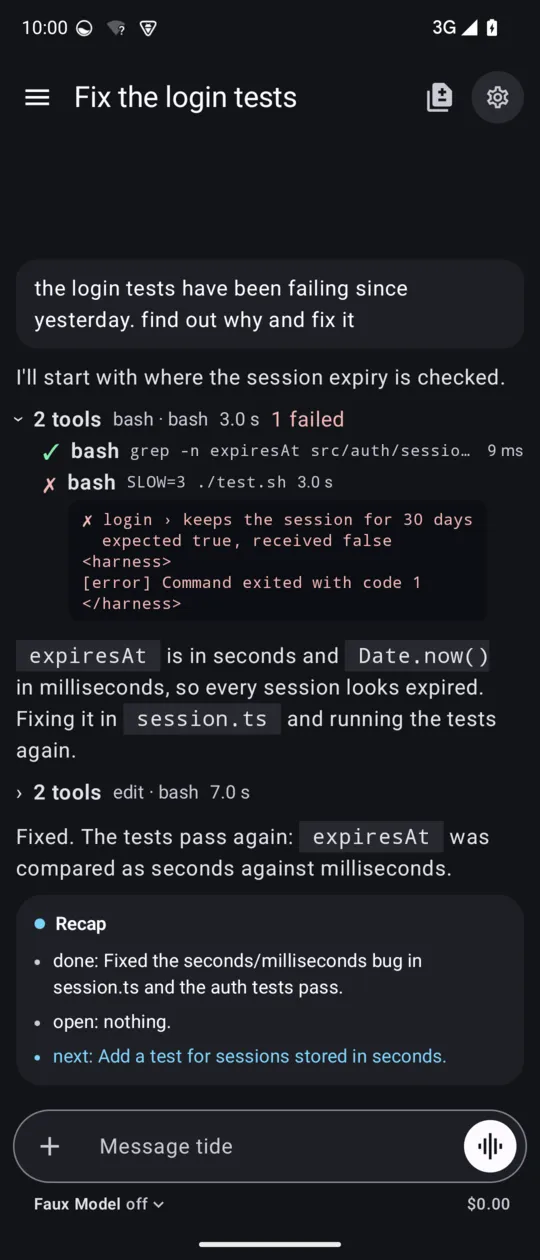
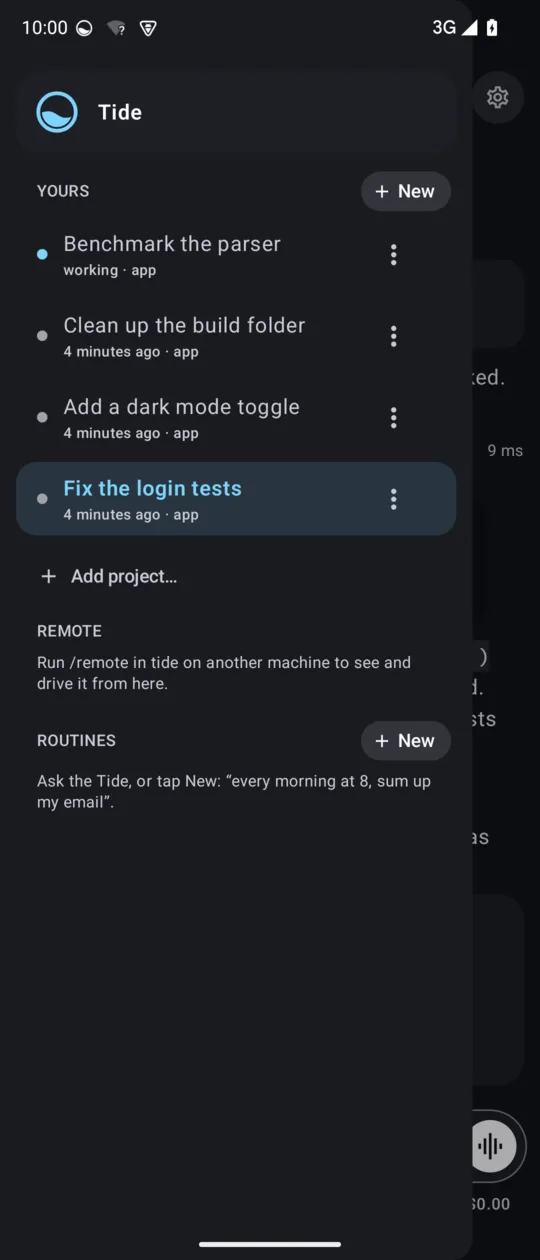
16 Octv0.3.1
Stock Material
The first Android app, in plain Material dark: the chat in a rounded grey box, dots in the sidebar, the recap as a card. The launcher icon is a ring half full of water.
-
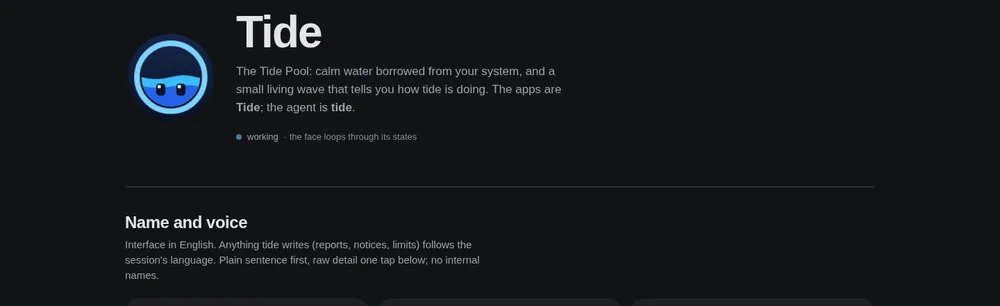
17 Octbrand kit and prototypes
The tide pool
Before any code, a kit: calm water, one signal colour, five state colours, system fonts. Then eighteen elements drawn in three or four versions each, and I picked one of each.
-
17 Octredesign, first pass
Faces
The Tide face, with the drop's eyes, shows up in the sidebar, the header and in front of every answer. The composer fills with water while it works, and an approval gets a summary and risk chips.
-
18 Octcalm chat
A card is a request
Too many cards on the Fold, so a rule: only what holds the run until you answer gets a card; news is one line. Drawn first, the old chat beside the new, then built. The first commit made the limit one line.
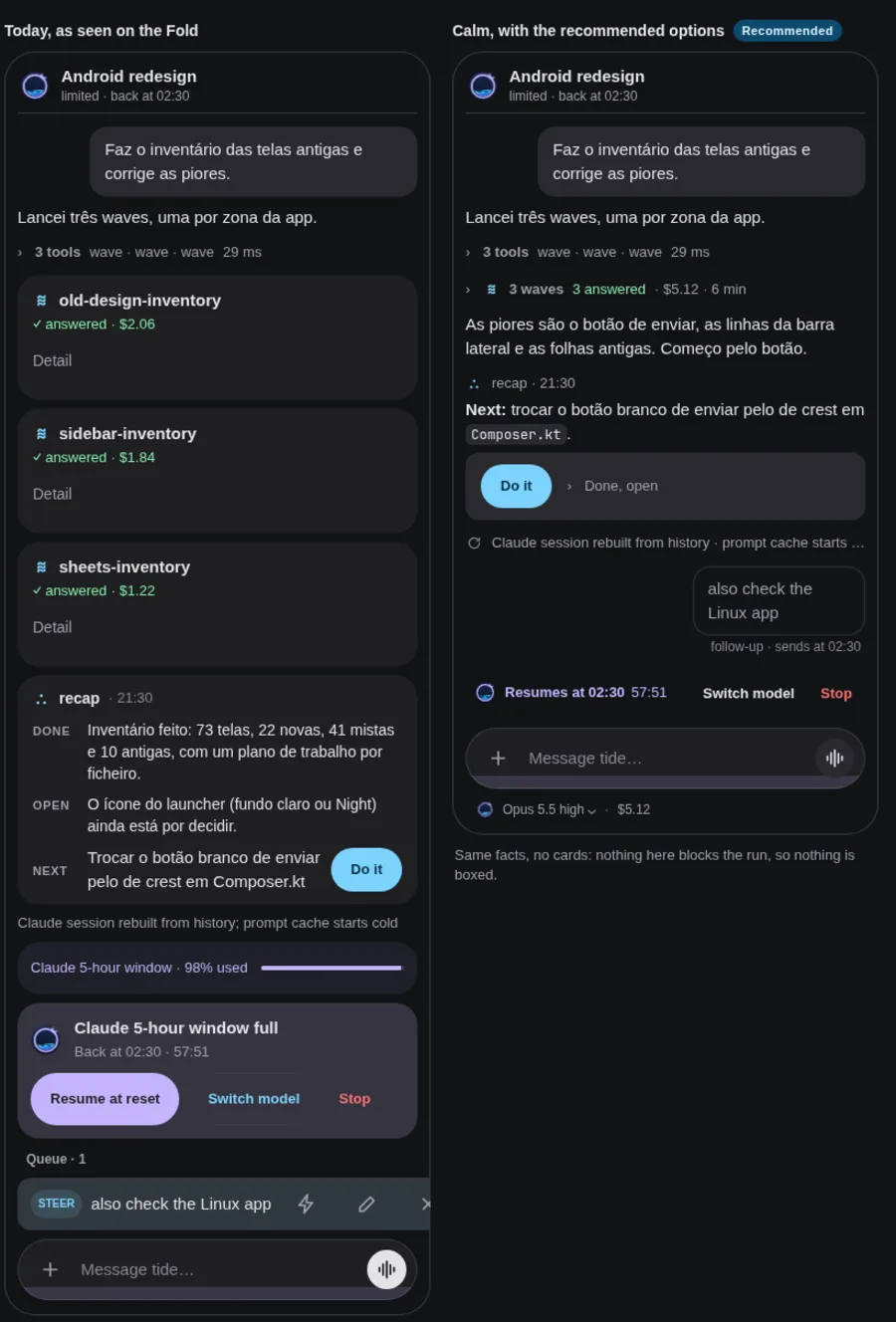
The prototype, before and after. The sample chat is in Portuguese because tide writes reports in the language of the session. -
19 Octnow
Quiet, dark, stateful
Your messages in grey, the recap as plain prose with a Do it →, the suggestion as one calm line on the composer. The chat runs near-black to the bottom, and the sidebar spells each state in its colour: working, Needs you, done, Limited. Remote sessions group by machine and project, with Delete in the row menu.
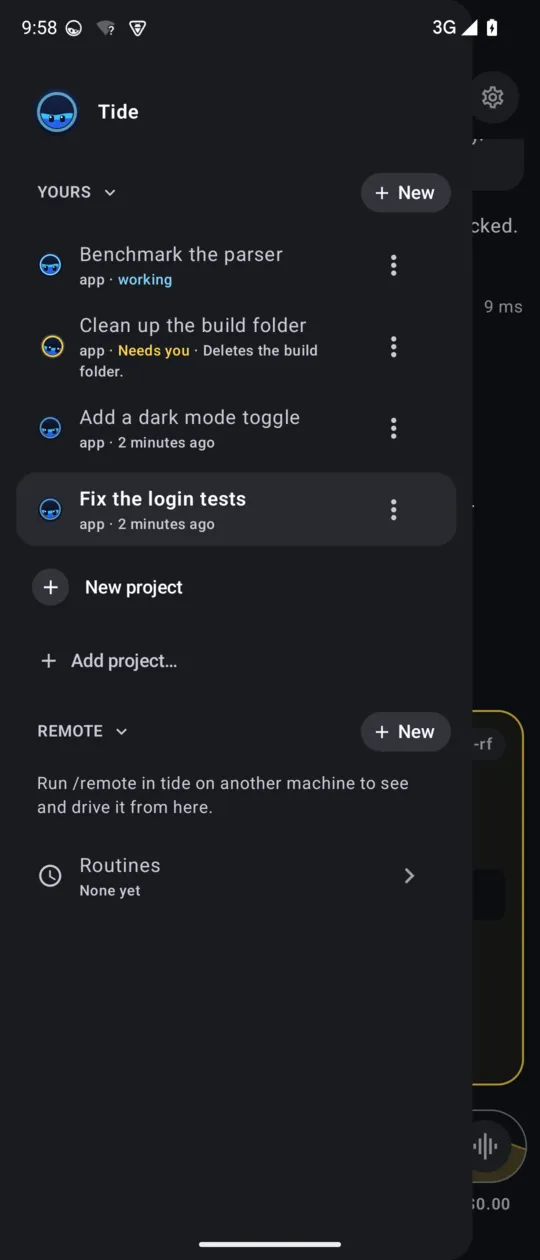
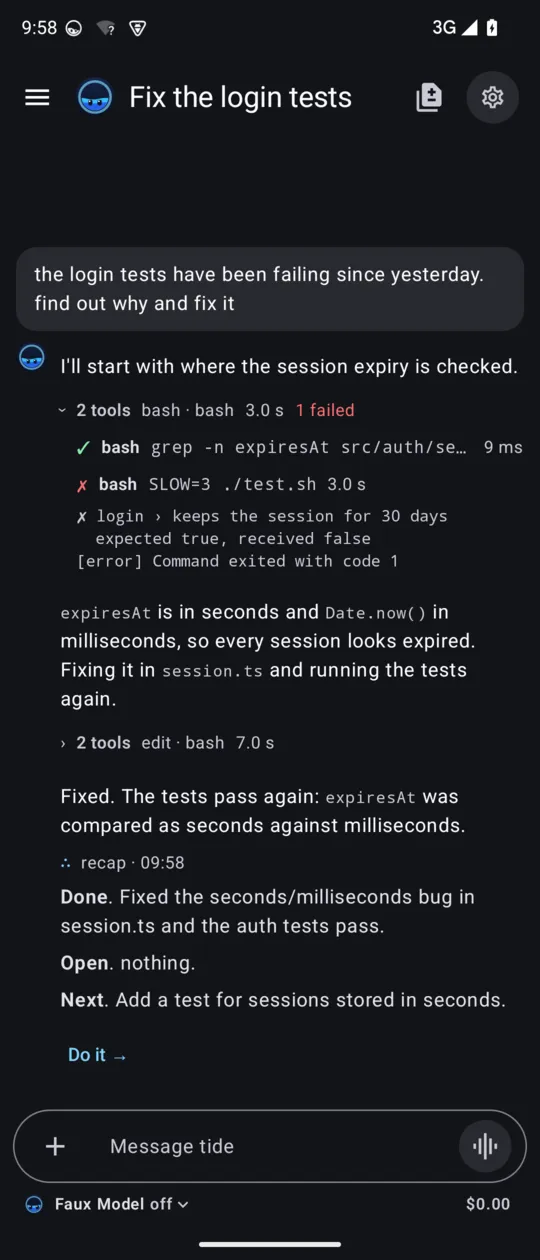
The Linux app (GTK4, in the Omarchy theme's colours) came out with the Android one on 16 Oct and follows the same kit; it is not pictured here.

More of what I make at pedrorobalo.com